Cardiff University School of Computer Science & Informatics
As part of a current project I had the misfortune of having to to deal with a bunch of OAuth authenticated web services using a command line script in Python. Usually this isn’t really a problem as most decent client libraries for services such as Twitter or Foursquare can handle the authentication requests themselves, usually wrapping their own internal OAuth implementation. However, when it comes to web services that don’t have existing python client libraries, you have to do the implementation yourself. Unfortunately support for OAuth in Python is a mess, so this is not the most pleasant of tasks, especially when most stackoverflow posts on the topic point to massively outdated and unmaintained Python libraries.
Fortunately after some digging around, I was able to find a nice, well maintained and fairly well documented solution: rauth, which is very clean and easy to use. As an example, I was trying to connect to the Fitbit API, and it really was as simple as following their example.
Firstly, we create an OAuth1Service:
import rauth
from _credentials import consumer_key, consumer_secret

base_url = "https://api.fitbit.com"
request_token_url = base_url + "/oauth/request_token"
access_token_url = base_url + "/oauth/access_token"
authorize_url = "http://www.fitbit.com/oauth/authorize"

fitbit = rauth.OAuth1Service(
 name="fitbit",
 consumer_key=consumer_key,
 consumer_secret=consumer_secret,
 request_token_url=request_token_url,
 access_token_url=access_token_url,
 authorize_url=authorize_url,
 base_url=base_url)
Then we get the temporary request token credentials:
request_token, request_token_secret = fitbit.get_request_token()

print " request_token = %s" % request_token
print " request_token_secret = %s" % request_token_secret
print
We then ask the user to authorise our application, and give us the PIN so we can prove to the service that they authorised us:
authorize_url = fitbit.get_authorize_url(request_token)

print "Go to the following page in your browser: " + authorize_url
print

accepted = 'n'
while accepted.lower() == 'n':
 accepted = raw_input('Have you authorized me? (y/n) ')
pin = raw_input('Enter PIN from browser ')
Finally, we can create an authenticated session and access user data from the service:
session = fitbit.get_auth_session(request_token,
 request_token_secret,
 method="POST",
 data={'oauth_verifier': pin})

print ""
print " access_token = %s" % session.access_token
print " access_token_secret = %s" % session.access_token_secret
print ""

url = base_url + "/1/" + "user/-/profile.json"

r = session.get(url, params={}, header_auth=True)
print r.json()
It really is that easy to perform a 3-legged OAuth authentication on the command line. If you’re only interested in data from 1 user, and you want to run the app multiple times, once you have the access token and secret, there’s nothing to stop you just storing those and re-creating your session each time without having to re-authenticate (assuming the service does not expire access tokens):
base_url = "https://api.fitbit.com/"
api_version = "1/"
token = (fitbit_oauth_token, fitbit_oauth_secret)
consumer = (fitbit_consumer_key, fitbit_consumer_secret)

session = rauth.OAuth1Session(consumer[0], consumer[1], token[0], token[1])
url = base_url + api_version + "user/-/profile.json"
r = session.get(url, params={}, header_auth=True)
print r.json()
So there we have it. Simple OAuth authentication on the command line, in Python. As always, the code is available on github if you’re interested.
Nice work by [@martinjc](https://twitter.com/martinjc) on Foursquare checkins and personality # sca2013 [pic.twitter.com/9afebFrzYS](http://t.co/9afebFrzYS)— Shaun Lawson (@shaunlawson) October 1, 2013
Today was presentation day for me at SCA 2013 - I was presenting the initial results of the Foursquare experiment, which has now been running for a while. The presentation seemed to go really well - I think it’s the strongest work I’ve done yet, and so it was easy to talk well and with confidence about it, which led to a nice talk. There was also plenty of discussion after the talk, with a lot of good comments and questions from the audience, which suggests that most people were quite interested in the research. I pitched it as a WIP paper, describing what the ultimate aim of the project is - very much recycling the talk I gave to the interview panel for my fellowship proposal. I think it certainly got a few people interested who’ll look to follow the project as it unfolds over the next couple of months.
After lunch there was an extra bonus when we discovered a beer vending machine in the hotel - what better way to celebrate a successful conference presentation than a cold beer in the sun?
This week, as part of the “Third International Conference on Social Computing and its Applications” we held a workshop “Collective Social Awareness and Relevance (CSAR)”. Organising the workshop (along with Walter Colombo) over the last couple of months has been an interesting process - this is the first time I’ve had the chance to get involved in “real” workshop organisation, so this is the first time I’ve seen the process up close. It’s a very involved process: from deciding upon and inviting Program Committee members, publicising the workshop, soliciting submissions, and navigating through the review process and getting a set of accepted papers it’s been a fair challenge. Really it wouldn’t have been possible without Walter doing such a good job of pushing the PC members to get their reviews done, he really drove that whole process, so I could sit back a bit there.
We ended up with 3 good papers accepted, which were presented in a session yesterday morning. The talks were informative and useful, and generated a good number of questions and discussion, which is really all you can hope for. It was also my first time chairing a session at a conference, which was fairly daunting, but turned out to be fairly easy and interesting. It was nice to be the one asking the difficult questions at the end of the presentation, rather than being on the receiving end.
Overall the workshop went very well. I wasn’t sure beforehand whether we’d try and run it again, but actually now I think it would be a shame not to. I’ll keep my eyes out for a conference that we can latch onto sometime next year.
I was invited by Simon Caton to come to the KSRI Services Summer School, held at KIT in Germany, to help him run a workshop session on Social Computing. We decided to use the session as a crash course in retrieving and manipulating data from Social Media APIs - showing the students the basics, then running a mini ‘hackathon’ for the students to gain some practical experience.
I think the session went really well, the students seemed to enjoy it and the feedback was very positive. We spent about 90 minutes talking about APIs, JSON, Twitter, Facebook and Foursquare, then set the students off on forming teams and brainstorming ideas. Very quickly they managed to get set up grabbing Twitter data from the streaming API, and coming up with ways of analysing it for interesting facts and statistics. A number of the students were not coders, and had never done anything like this before, so it was great to see them diving in, setting up servers and running php scripts to grab the data. It was also good to see the level of team work on display; everyone was communicating, dividing the work, and getting on well. Fuelled by a combination of pizza, beer, red bull and haribo they coded into the night, until we drew things to a close at about 10pm and retired to the nearest bar for a pint of debrief.
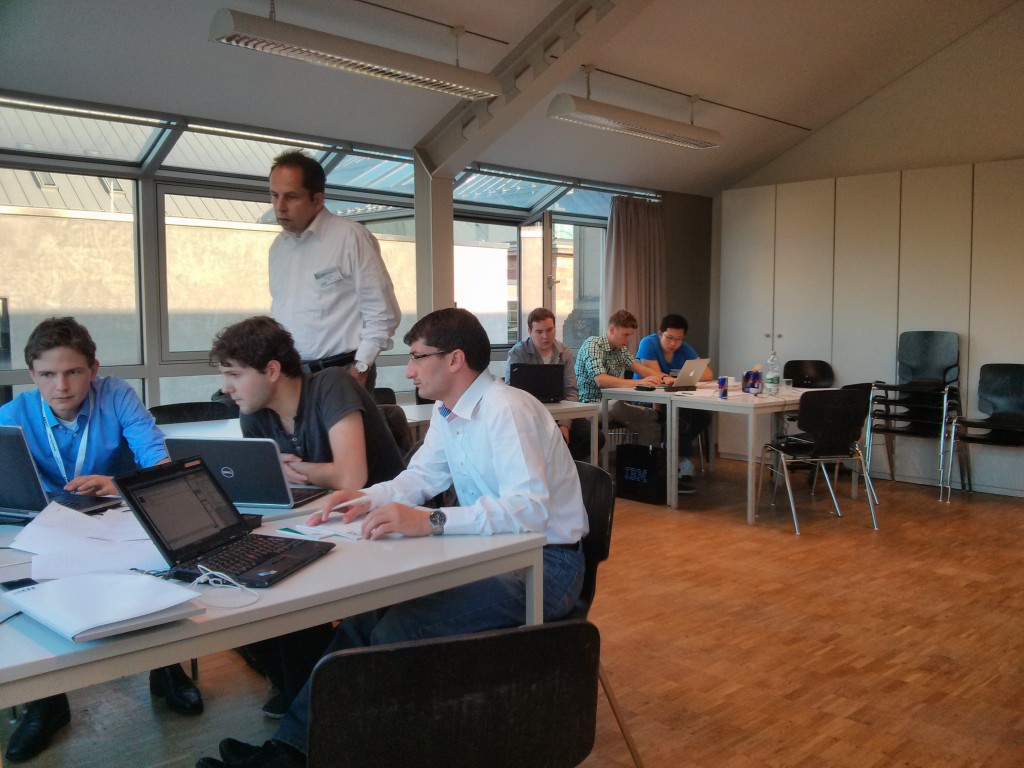
It was a really good experience, and I think everyone got something useful out of it. I’m looking forward to the presentations later on today to see what everyone came up with.
Our slides from the talk are available on slideshare. As usual they’re information light and picture heavy, so their usefulness is probably limited!
Finding myself with a free afternoon this week, I strolled down to the local Odeon to see Jurassic Park: IMAX 3D. (It should be noted that the 'IMAX" bit doesn’t mean much - the screen at the Odeon is nowhere near as big as a true ‘IMAX’ screen). I should say, I love this film a lot - hence my willingness to pay £12 (£12!!??!) to see it again on the big screen. I first saw it in the Shrewsbury Empire cinema when I was 10 years old, in one of my first (and possibly only) trips to the cinema with my Dad, and instantly loved it. This is not entirely unsurprising considering I was essentially the target audience at the time. Following that I wore through a pirate VHS copy obtained from a friend, then an actual legitimate VHS copy, followed by the inevitable much hardier DVD purchase. When we finally embraced streaming media a couple of years ago and sold off all the DVDs it was one of only a few that I was desperate to keep. I like the movie so much that I can even forgive Jurassic Park 2 and 3.
It’s sad then for me to see the movie in this format now. From minute 1, it’s clear that the 3D conversion is very poor quality. It’s basically like watching a moving pop up book, as flat characters and objects make their way across the screen at varying depths. At some points individual characters have been picked out of the background so poorly it actually looks like they’ve been filmed with early green-screen effects, so they’re totally divorced from the background. It just doesn’t add anything to the movie, and is actually often distracting. It’s a waste of the already impressive visuals of the movie, and so easy to see it for what it is: a cheap gimmick to try and cash in on a successful property. The problem is that it’s totally unnecessary - all that’s needed to get a bunch of new film goers interested in Jurassic Park (and become the ready made audience for the next ‘new’ JP movie) is to release the film again. I’m sure it would have done just as well as a 2D re-release, so this poor 3D affair is a waste of effort.
Of course the film itself is still amazing, and the sound quality (whether due to this new version or because of the IMAX standard speaker system) absolutely blew me away. I heard lines of dialogue that were previously just characters muttering under their breath, and the roar of the dinosaurs combined with that John Williams theme made me forgive the awful awful 3d conversion and fall in love with the movie all over again.
Also the raptors are still bloody terrifying.
(UPDATE: an earlier version of this was totally wrong. It’s better now.)
Inspired by a Facebook post from a colleague, I decided to waste ten minutes this week knocking together a word cloud from the text of my thesis. The process was pretty straightforward.
First up - extracting the text from the thesis. Like all good scienticians, my thesis was written in LaTeX. I thought I could have used a couple of different tools to extract the plain text from the raw .tex input files, but actually none of the tools available from a quick googling seemed to work properly, so I went with extracting the text from the pdf file instead. Fortunately on Mac OS X this is pretty simple, as you can create a straightforward Automator application to extract the text from any pdf file, as documented in step 2 here.
Once I had the plain text contents of my thesis in a text file it was just a simple few lines of python (using the excellent NLTK) to get a frequency distribution of the words in my thesis:
from nltk.probability import FreqDist
from nltk.tokenize import word_tokenize, sent_tokenize

fdist = FreqDist()
with open("2012chorleymjphd.txt", "r") as inputfile:
    for sentence in sent_tokenize(inputfile.read()):
        for word in word_tokenize(sentence):
            fdist.inc(word.lower())

    for word, count in fdist.iteritems():
        if count > 10:
            print "%s: %d" % (word, count)
Then it was just a matter of copying and pasting the word frequency distribution into wordle:
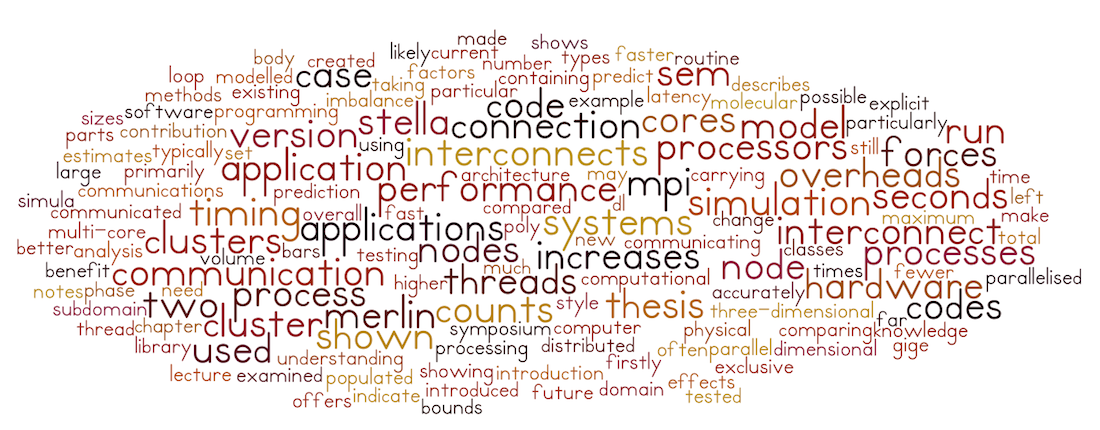
And there we have it. A not particularly informative but quite nice looking representation of my thesis. As you can guess from the cloud, it’s not the most exciting thesis in the world. Interestingly, the word error doesn’t seem to be there 😉.
In the previous post, I used python and BeautifulSoup to grab the list of artists appearing at SWN Festival 2013, and to scrape their associated soundcloud/twitter/facebook/youtube links (where available).
However, there are more places to find music online than just those listed on the festival site, and some of those extra sources include additional data that I want to collect, so now we need to search these other sources for the artists. Firstly, we need to load the artist data we previously extracted from the festival website, and iterate through the list of artists one by one:
artists = {}
with open("bands.json") as infile:
    artists = json.load(infile)

for artist, artist_data in artists.iteritems():
The first thing I want to do for each artist it to search Spotify to see if they have any music available there. Spotify has a simple web API for searching which is pretty straightforward to use:
params = {
    "q" : "artist:" + artist.encode("utf-8")
}

spotify_root_url = "http://ws.spotify.com/search/1/artist.json"
spotify_url = "%s?%s" % (spotify_root_url, urllib.urlencode(params))

data = retrieve_json_data(spotify_url)

if data.get("artists", None) is not None:
    if len(data["artists"]) > 0:
        artist_id = data["artists"][0]["href"].lstrip("spotify:artist:")
        artist_data["spotify_id"] = data["artists"][0]["href"]
        artist_data["spotify_url"] = "http://open.spotify.com/artist/" + artist_id
The ‘retrieve_json_data’ function is just a wrapper to call a URL and parse the returned JSON data:
def retrieve_json_data(url):

    try:
        response = urllib2.urlopen(url)
    except urllib2.HTTPError, e:
        raise e
    except urllib2.URLError, e:
        raise e

    raw_data = response.read()
    data = json.loads(raw_data)

    return data
Once I’ve searched Spotify, I then want to see if the artist has a page on Last.FM. If they do, I also want to extract and store their top-tags from the site. Again, the Last.FM API makes this straightforward. Firstly, searching for the artist page:
params = {
    "artist": artist.encode("utf-8"),
    "api_key": last_fm_api_key,
    "method": "artist.getinfo",
    "format": "json"
}

last_fm_url = "http://ws.audioscrobbler.com/2.0/?" + urllib.urlencode(params)

data = retrieve_json_data(last_fm_url)

if data.get("artist", None) is not None:
    if data["artist"].get("url", None) is not None:
        artist_data["last_fm_url"] = data["artist"]["url"]
Then, searching for the artist’s top tags:
params = {
    "artist": artist.encode("utf-8"),
    "api_key": last_fm_api_key,
    "method": "artist.gettoptags",
    "format": "json"
}

last_fm_url = "http://ws.audioscrobbler.com/2.0/?" + urllib.urlencode(params)

data = retrieve_json_data(last_fm_url)

if data.get("toptags", None) is not None:

    artist_data["tags"] = {}

    if data["toptags"].get("tag", None) is not None:
        tags = data["toptags"]["tag"]
        if type(tags) == type([]):
            for tag in tags:
                name = tag["name"].encode('utf-8')
                count = 1 if int(tag["count"]) == 0 else int(tag["count"])
                artist_data["tags"][name] = count
            else:
                name = tags["name"].encode('utf-8')
                count = 1 if int(tags["count"]) == 0 else int(tags["count"])
                artist_data["tags"][name] = count
Again, once we’ve retrieved all the extra artist data, we can dump it to file:
with open("bands.json", "w") as outfile:
    json.dump(artists, outfile)
So, I now have 2 scripts that I can run regularly to capture any updates to the festival website (including lineup additions) and to search for artist data on Spotify and Last.FM. Now I’ve got all this data captured and stored, it’s time to start doing something interesting with it…
I’m really very pleased to be able to say that I have been awarded a 2013 EPSRC doctoral award fellowship. This means I’ve been given an opportunity to spend 12 months from October this year working independently on a research project of my own choosing. I’ll be looking at the connection between places and personality, analysing the large dataset collected through the Foursquare Personality app to try and build towards a recommendation system for places that uses personality as one of its key input signals.
I think this is a really interesting research project, and I’m hoping for some good results. The basic question I’m asking is: if we know where someone has been (i.e. from their Foursquare history) then can we predict what their personality is? If we can do that, then maybe we can do the reverse, and from someone’s personality, infer where they might like to go. This could lead to a shift in the way that place recommendation systems are built, utilising not just the knowledge of where someone has been, but also why someone has been there.
This is a great opportunity - while it has been really good to work on the last two EU projects I’ve been involved in, the overheads (especially the deliverables) have sometimes been a distraction and have sometimes gotten in the way of the research. With this project I’ll be able to plough on with the research without having to worry about those kinds of administrative overheads. It’s also a great stepping stone on my academic career path, and should give me the opportunity to generate some high quality outputs that will help with moving on to the next stage.